
Learn, Certify And Stay Current With Forge
One secure place for Areté clients: video training and courses, role-based certifications, release notes, help articles and your account documents. Built around your company, visible only to your team.
Built For Areté Clients
Everything Your Team Needs To Get More From Forge
New planners get up to speed faster, experienced planners go deeper, and admins keep their team's skills current. Lessons are short, recorded on real Forge screens, and end with what to change in your own plan that week.
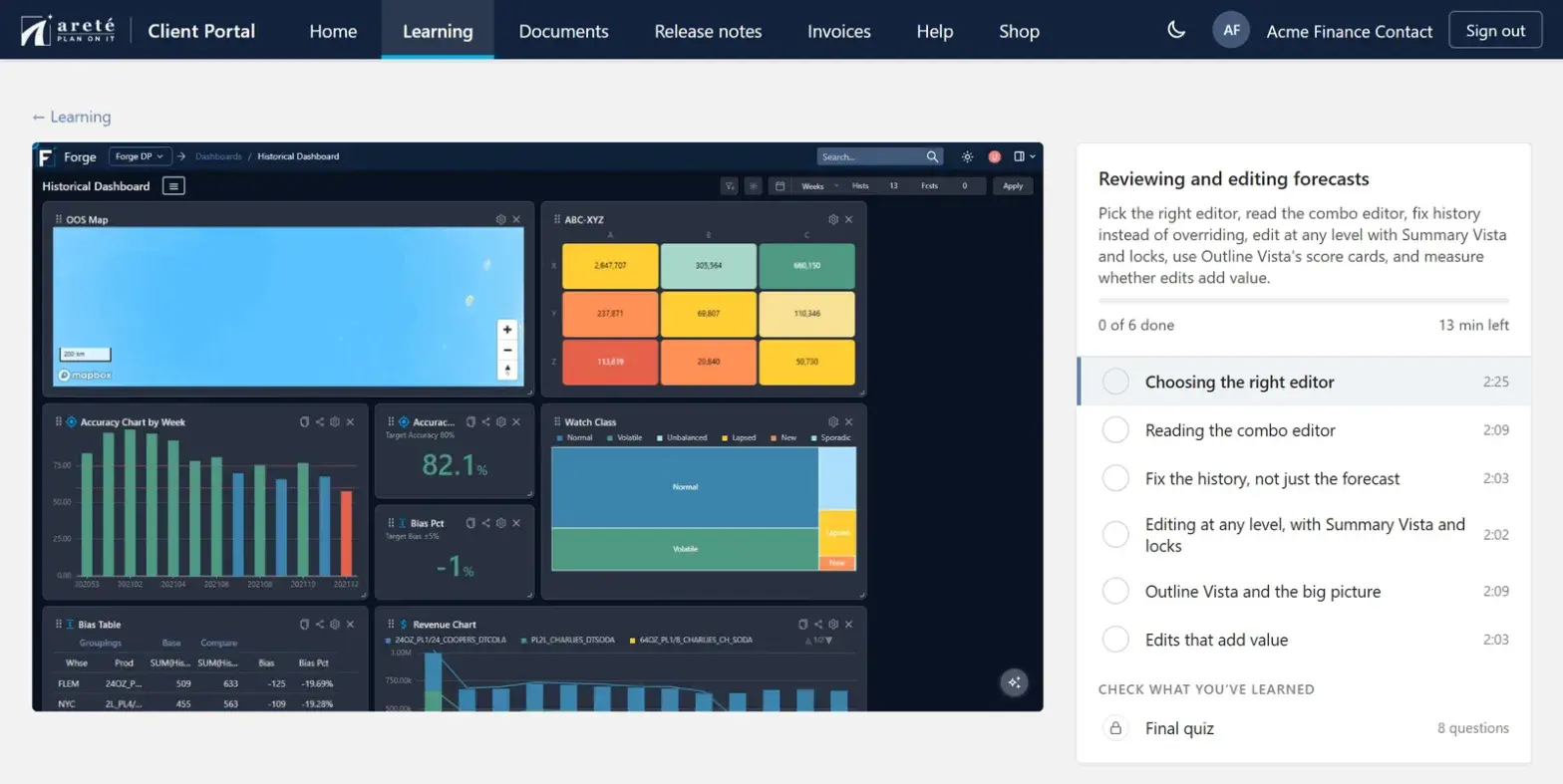
Training Videos And Courses
Narrated lessons of four to seven minutes, grouped into courses with a short quiz at the end. Pick up where you left off on any device.
Certificates And Certifications
Earn a certificate for each course and a certification for each role. Every one has a public verification link and a badge to add to LinkedIn.
Release Notes
What changed in each Forge release, in plain language, so your team knows what is new before it reaches their screens.
Help Articles
Step-by-step answers for everyday tasks, searchable, and kept in step with the version of Forge you run.
Account Documents
Invoices and account documents for the people at your company who are allowed to see them, and no one else.
Private To Your Company
Each client sees only its own content and people. Two-step sign-in protects admin accounts, and your admins manage who has access.
Role-Based Certification
A Path For Every Planner
Certifications follow the work people actually do. Everyone starts with the Demand Planner foundation, then goes on to the role that fits. Shared courses count toward every path, so nothing is taken twice.
Each certification stays valid for a year and renews when its courses do. Anyone you share it with can check it is genuine.
Forge SP role certifications (Production, Materials, Inventory Planner) to follow.
Step 1
Forge DP Demand Planner
The foundation for every client planner.
Step 2
Forge DP Forecast Analyst
Statistical models, seasonality and tuning.
Step 3
Forge DP Commercial Planner
Promotions, pricing, new products and plans.
Step 4
Forge DP Administrator
Running the weekly cycle and managing access.
How To Get Access
Step 1
Get An Invitation
Your company's portal admin invites you by email. No admin yet? Your Areté contact sets one up.
Step 2
Set Up Your Sign-In
Choose a password from the invitation link, and add an authenticator app where your company requires it.
Step 3
Start Learning
Begin with Getting Started with Forge DP, then follow the path for your role.
Questions
Who can use the portal?
Anyone at an Areté client company whom the company's portal admin invites, and Areté implementation partners.
Is the training included?
Getting-started and everyday courses are included for every client. Specialist courses and certifications are available as add-ons; your admin can request them from inside the portal.
Can other companies see our content?
No. Each company's people, progress and documents are kept apart; nobody outside your company sees them.
I forgot my password.
Use "Forgot password" on the sign-in page, or ask your company's portal admin to send a new invitation.
Already An Areté Client?
Sign in to pick up your training, or talk to us about getting your team set up.