

The Areté Planning Platform
One modern workspace for dynamic planning across demand, supply and demand sensing, with an AI agent built in. It finds problems in the plan, explains why they happened and proposes the fix. Your team approves every change.
Forge Planning Platform
One Platform for the Whole Plan
Forge brings Areté's proven planning engines together in a single, modern workspace built for dynamic planning. Demand, supply and demand sensing work from the same live data, with the same look and the same AI agent, so when conditions change, planners see it and respond without switching tools.
Built on more than 40 years of supply chain planning experience, Forge keeps the depth your planners rely on and makes it faster, cleaner and easier to use.
Forge DP
Demand Planning
Statistical and AI forecasting, collaborative adjustments and forecast performance tracking in one place.
Forge SP
Supply Planning
Production, materials, deployment and replenishment scheduling, driven by the latest demand.
Forge DS
Demand Sensing
The latest demand signals, product and location masters, and planning structures that keep the plan tied to what's happening now.
A Modern Workspace
Built for How Planners Work Today
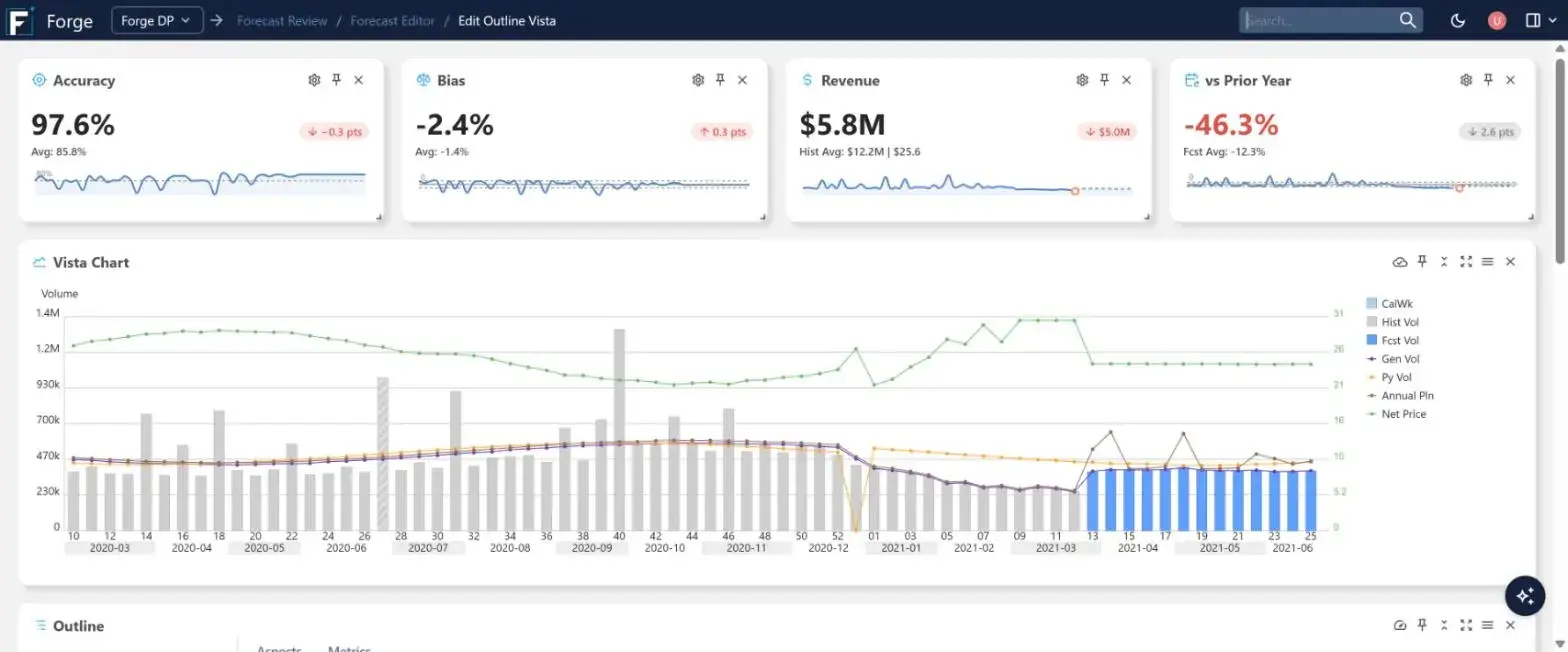
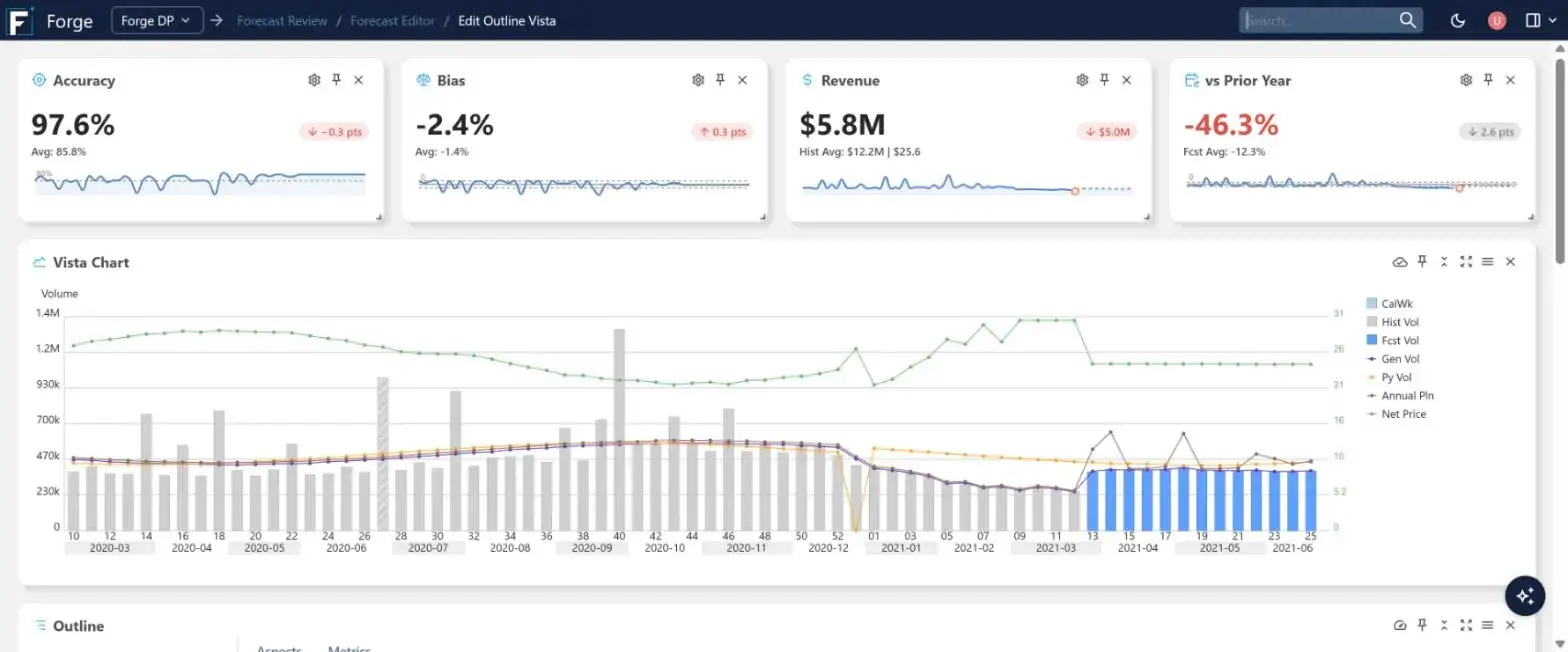
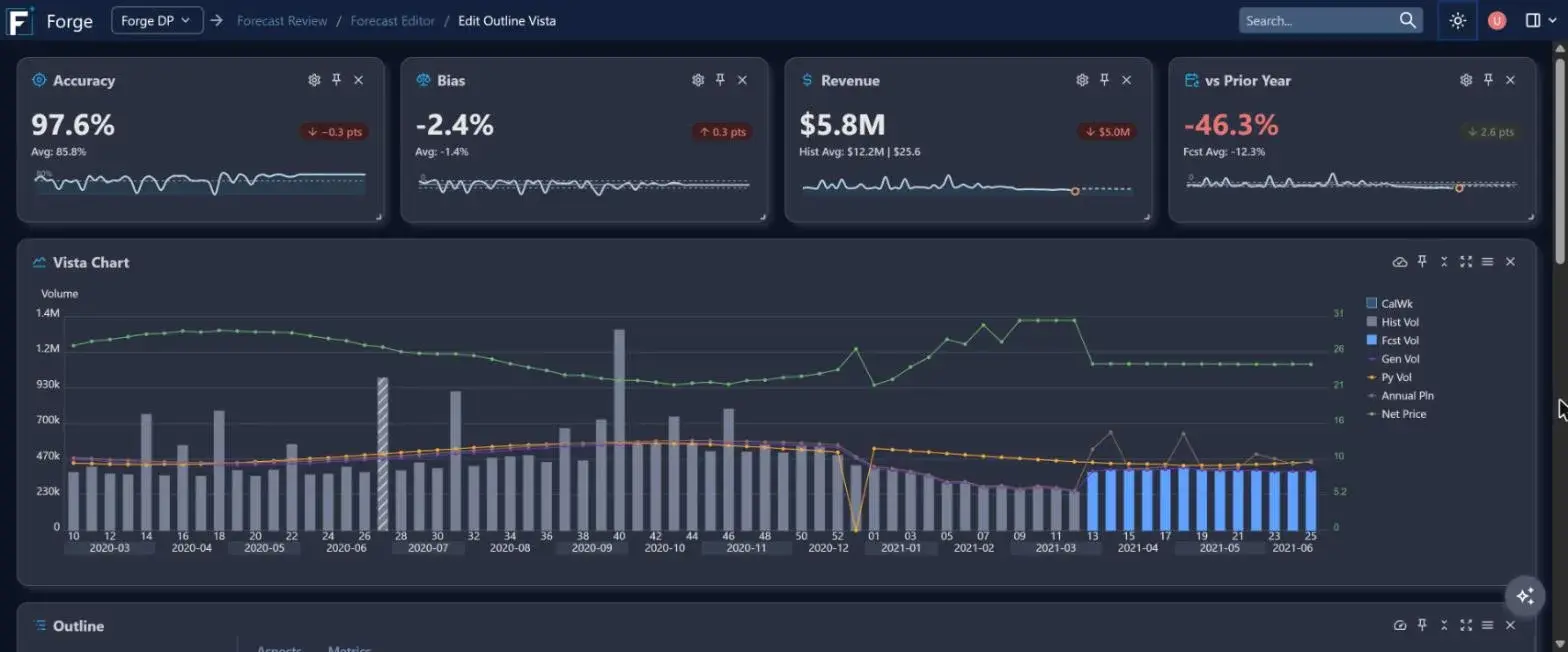
Forge was redesigned from the ground up for long planning sessions. It's cleaner, faster and less like a spreadsheet, and it works the way you expect a modern application to. Flip between light and dark mode below.

Metrics Where You Work
Accuracy, bias, revenue and prior-year cards sit right in the forecast editor, with trend lines that update as you move through products and locations.
Dark Mode
A full dark theme across every screen, chart and grid, easier on the eyes during long planning sessions.
Find Your Way Instantly
A redesigned home screen, search from the header and breadcrumbs on every screen. Switch between DP, SP and DS in one click.
Your Layout, Your Way
Pin, minimize and maximize panes, choose which columns are highlighted, and save layouts for the way you work.
Cleaner Grids
Compact badges, columns that size themselves and lighter styling leave more room for the numbers that matter.
Live and Fast
Editors work on live data and load faster. Totals, charts and metrics update as you make a change, and screens load only what you're looking at.
Agentic AI
An Agent on Your Planning Team
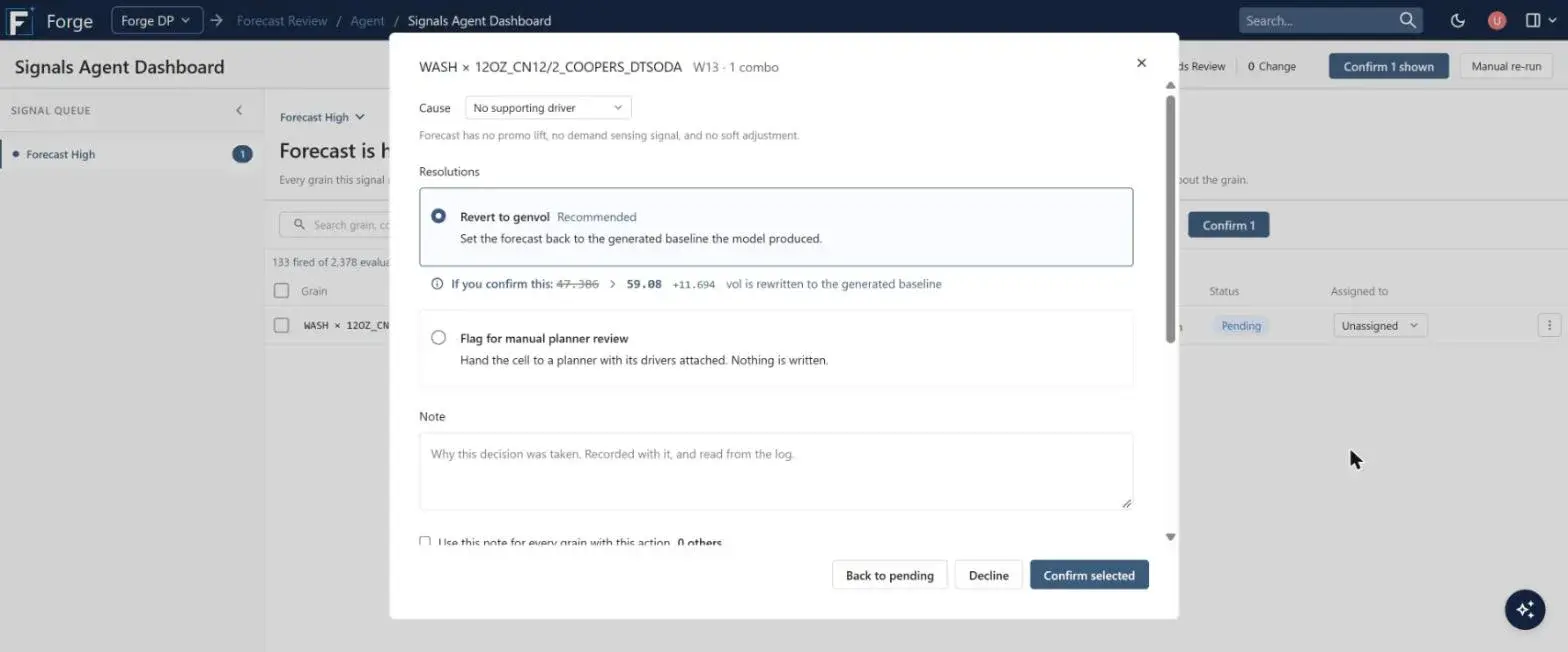
Planners spend hours hunting for the few items that need attention. Forge's AI agent does that search for them. On a schedule you set, it checks the plan, raises a signal wherever something looks wrong, works out the likely cause and recommends what to do. A planner reviews the evidence and the exact change, then confirms or declines.
Step 1
Detect
Signals watch the plan continuously and flag the items that need attention.
Step 2
Diagnose
The agent checks the drivers behind each flag and names the most likely cause.
Step 3
Recommend
It proposes a resolution with a risk level and shows exactly what would change.
Step 4
You Decide
Planners confirm, decline or reassign, one at a time or in bulk. Every decision is logged.
Ask Forge
Answers Grounded in Forge's Own Knowledge
The built-in AI Assistant answers planners' how-to questions in plain language: what a field means, which screen to use, how a process works. It answers from Forge's own documentation rather than general internet knowledge, shows where each answer came from, and replies in the user's language. New planners get up to speed faster, and experienced planners spend less time searching.
A Growing Signal Library
What the Agent Watches
Each signal is a focused check that an experienced planner would make, run across every item, every cycle. The first forecast checks are available now, and the library grows with every release.
Available Now
Forecast Health
Forecasts that are out of line with history are flagged today. Checks for forecasts that keep missing and for bias that builds up over time are on the way.
In Development
History Quality
Outliers in sales history that would distort the forecast if left untreated.
In Development
Demand Signals
Shipments drifting away from point-of-sale or demand sensing, an early sign that the forecast needs to move.
In Development
Inventory Coverage
Days of cover running too low or too high for the demand ahead.
In Development
New Items
Launches ramping slower than planned and items whose demand pattern won't settle.
In Development
Connected Insights
When related signals fire together, across demand and supply, the agent combines them into one explained situation and one recommendation.
Coming to Forge SP · In Development
From Exception to Approved Plan
Supply plans break when a production run slips, a purchase arrives late or demand jumps. Forge SP will catch these exceptions automatically as live operational data arrives, explain the cause and the impact, and build alternative plans for your planners to compare and approve.
Step 1
Detect as Things Change
When inventory, demand, production runs or shipments change, Forge checks the affected items and locations for shortages. It starts with product and material shortages.
Step 2
Explain Cause and Impact
Each exception shows what changed, when the shortage starts, how severe it is and which runs, products and orders are at risk.
Step 3
Generate Real Alternatives
The agent picks the strategies worth trying, such as expediting supply, rescheduling production or moving inventory. Forge's own scheduling engine builds each one as a separate, editable what-if plan, so every option respects your real capacity and constraints.
Step 4
Compare, Edit, Approve
Planners compare the options side by side on the KPIs that matter. They can approve one as it is, or open it, adjust it and then approve. Nothing is checked in without a planner.
Material Shortage · RM-104 · Plant A
Proposals available. Shortage starts Sep 23. Peak shortage 3,200 EA.
Cause: purchase order delayed from Sep 22 to Sep 25.
Impact: 4 production runs and 4,500 units of finished product at risk.
| KPI | Current | Expedite | Reschedule |
|---|---|---|---|
| Material shortage | 3,200 | 0 | 0 |
| Late production | 0 | 0 | 1,800 |
| Runs moved | 0 | 0 | 2 |
Illustrative concept. Forge SP exception management is in development.
AI Your Planners Can Trust
Approval, Not Autopilot
The agent recommends. Your planners decide. Nothing is written to the plan until someone confirms it.
Explainable
Every recommendation comes with the cause the agent found, the evidence it checked and a risk level. You get the reasoning, not just a score.
Fully Audited
Every confirm, decline, assignment and note is logged, so you always know who changed what and why.
Built on Forge, Open by Design
The agent uses Forge's own planning logic and data, so its answers match what planners see. It runs on your schedule, and its tools are available over the Model Context Protocol (MCP) with authenticated access.
Frequently Asked Questions
We're already an Areté customer. What changes?
Forge is the new home for Areté's planning applications. Your data, editors and workflows carry over, and you gain the refreshed interface and the AI agent. Your account team can walk you through the upgrade.
Does the agent change the plan on its own?
No. The agent recommends a resolution and shows exactly what it would change. A planner has to confirm it before anything is written.
What does the agent look for?
It runs a library of signals, each one a focused check of the kind an experienced planner would make. The first forecast health signal is available now. More forecast checks, and signals for history quality, demand signals, inventory coverage and new items are in development, along with connected insights that combine related signals.
How is this different from AI forecasting?
AI forecasting produces the numbers. The agent reviews them the way an experienced planner would, catching the ones that need attention and proposing what to do about them. See the Intelligent Forecasting with AI page under Demand Planning for the forecasting side.
Does the agent work in supply planning?
Exception management for Forge SP is in development. It will start with product and material shortages and follows the same approach: Forge detects the problem, explains it, and proposes options built by its own scheduling engine. A planner approves. Talk to your account team about early access and timing.
Can we see who approved a change?
Yes. Every decision is recorded in an audit log, with the user, the action and any note.
Plan with Forge
Book a demo and we'll show you Forge and its AI agent working on a plan like yours.