Newsletter: October 2025
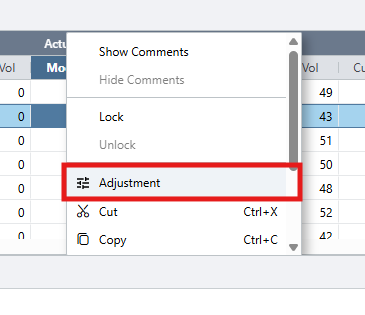
Areté introduces a new Adjustment Box feature in our Forecast editors, making adding different types of adjustments across forecasts easier and more efficient. To use the Adjustment Box, simply right click on editable fields in any forecast editor and enter in your adjustment amount. Fine tuning forecasts has never been faster!
Another noteworthy Prevail addition in this release is the new Permanent Combo Mapping Option. Using this option, Planners can transition legacy combo maps to permanent combo maps, consolidating legacy Prevail data into newer combos as one entity. This option will help Planners manage larger database size as product transitions occur. Permanent restatement enables routine purging of old data, significantly improving the performance by cleaning the dataset.
Manage Forecasts easily using the Adjustment Box
In our latest release, we have added a new cell right-click option named Adjustment. This option is displayed when a Planner right-clicks on an editable Price or Vol field in any of the main forecast editors.
In Edit Outline Vista, Adjustment option is available in the Outline, Vista Forecasts, Vista History, Combo Forecasts and Combo History panes
In Edit Summary Vista, Adjustment option is available in the Vista Forecasts, Vista History, Combo Forecasts and Combo History panes.
In Edit Forecasts by Combo, Adjustment option is available in the History and Forecasts panes.
In Edit Panoramic Vista, Adjustment option is available on both Outline and Detail rows.
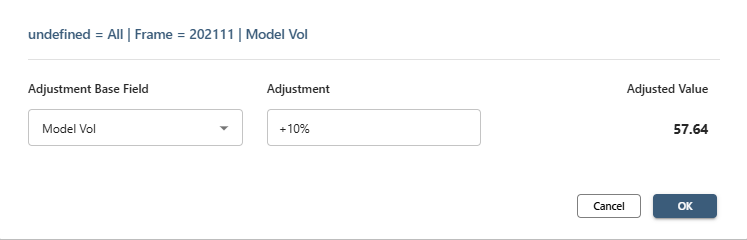
The key features of the Adjustment Box include:
1) Top Information Line: Shows the selected cell's aspects, time frame and the specific field name selected.
2) Adjustment Base Field: A dropdown list for available base fields.
3) Adjustment: The type of adjustment with calculation parameters of =, +, *, -, /, %
4) Adjusted Value: Displays the Final Value
5) OK/Cancel: To confirm or cancel an adjustment
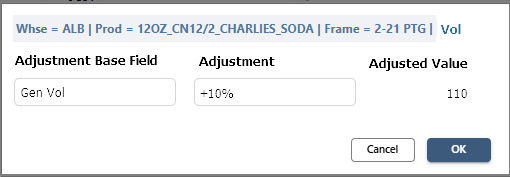
Sample Adjustment Box
Each Adjustment parameter has a unique function:
1) =: Entered number will override the original value
2) *: Original value multiplied by entered parameter
3) +: Entered number added to the original value
4) -: Entered number subtracted from the original value
5) /: Original value divided by the adjustment parameter
6) %: Will apply any of the above parameters as a percent to the original value. Examples: +5%, -10%, *120%
Improved Data Management with Permanent Combo Mapping
As Prevail product transitions increase, the number of transition rules and the database size will vastly increase. Using the new Permanent Combo Mapping feature, Planners can save legacy product transitions (called Combo Maps) as permanent maps, thereby freeing database space and improving application performance. When the Permanent Combo Mapping option is used, Prevail11 consolidates the legacy combos as one single entity.
Planners can also choose a number of Permanent Restatement Weeks to apply, which acts as a threshold to automatically switch combos for permanent combo mapping. For example if the Permanent Restatement Weeks is set to 18 weeks, then Combo mappings older than 18 weeks automatically become candidates for permanent restatement.
There are several methods that Planners can use to run a permanent restatement check.
The most common is to utilize the option in the launcher form for the Publish Combo Mappings routine:
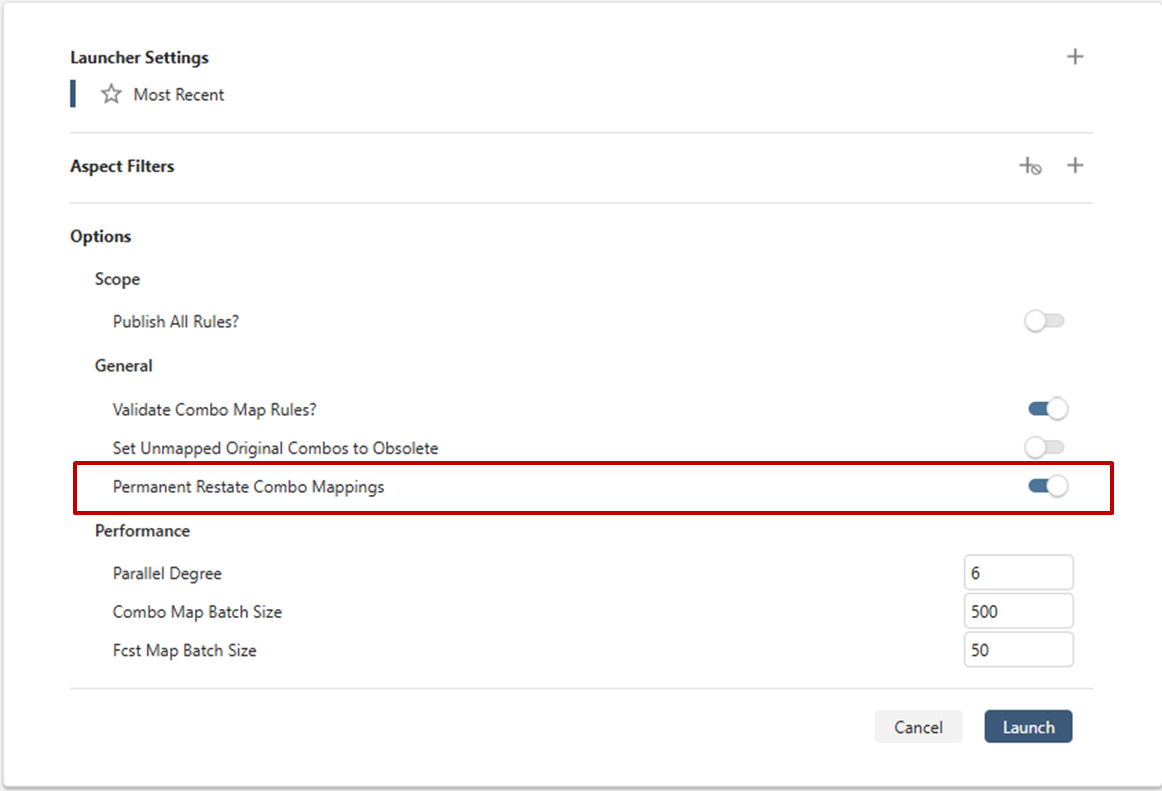
Launcher Form for Publish Combo Mappings
Another method is to run Permanent Combo Mapping as a separate process step. A new routine called Permanent Combo Mappings can be found in the Conversions menu, which will check the permanent restatement rules and apply all necessary transitions.
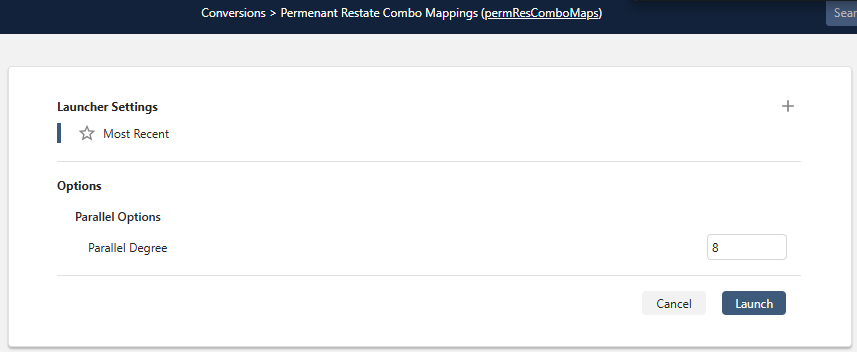
Launcher Form for Permanent Restate Combo Mappings
Once a Combo Map rule is associated with a permanent restatement, the Rule State becomes Perm. The Combo Mapping rules can also be configured through the Purge Rules routine to enable purging.
Contact us to learn more about all updates and enhancements in the latest version.
New Blog Posts spotlight Beverage Manufacturing Planning

Is your Business Ready for the Holiday Season?
The upcoming 2025 holiday season will likely foster a significant surge in demand coupled with supply chain challenges such as delayed shipments, and labor constraints. Our latest blog will give you specific insights into 2025 Holiday season predictions, challenges and potential solutions to help you address them.

Inventory Statuses and Classifications: A Complete Guide
Inventory management is one of the most crucial supply chain metrics and goes beyond just counting floor stock. Read this blog to understand the different types and statuses of inventory for strategic supply chain planning.
Want to review our other Blog Posts? Click on the button below to access all our previous blogs or newsletters!
Please contact us if you have any questions or suggestions!
Areté values honest customer feedback. Please take this three-question, anonymous Survey to let us know how we are doing.
About the Author

Shruti Natal
Business Development and Supply Chain Optimization Analyst
Shruti is a part of the implementation team (Prevail and Avail). She collaborates with clients to ensure a smooth working experience with Areté Inc.