Newsletter: October 2026
Areté is proud to introduce Forge by Areté, the new home for our planning applications. Forge brings demand planning, supply planning and demand sensing together in one modern platform built for dynamic planning, with an AI agent built in. The agent finds problems in the plan, explains why they happened and proposes a fix. Your planners stay in control, because nothing changes until they confirm it.
One Platform for the Whole Plan
Forge brings Areté's demand and supply planning together under one name, one look and one AI agent. Planners switch between three workspaces right from the header:
- Forge DP: Demand Planning
- Forge SP: Supply Planning
- Forge DS: Demand Sensing
Your data, editors and workflows carry over. What's new is how it all looks, feels and works together. All three workspaces plan from the same live data, so when conditions change, planners see it and can respond right away.
A Modern Workspace, Day or Night
Forge was redesigned for long planning sessions. It has a new home screen, breadcrumbs on every screen, panes you can pin and minimize, cleaner grids, faster editors and a full dark mode.
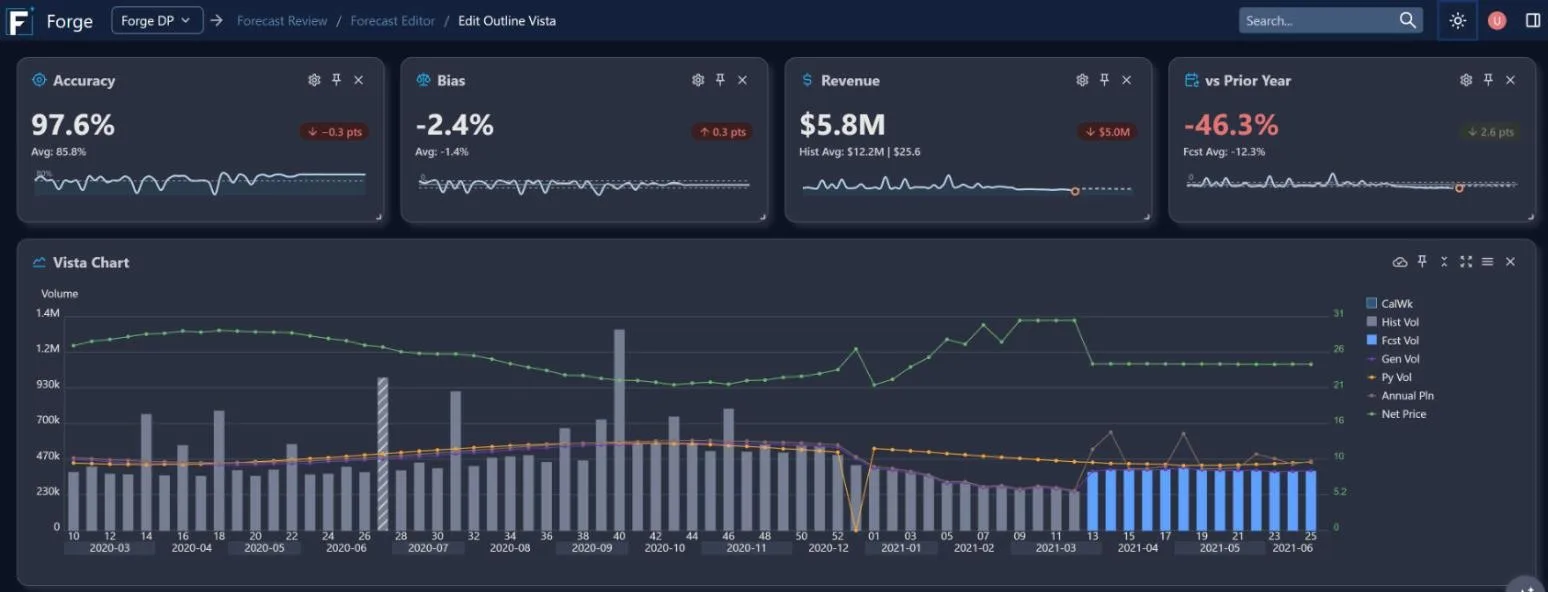
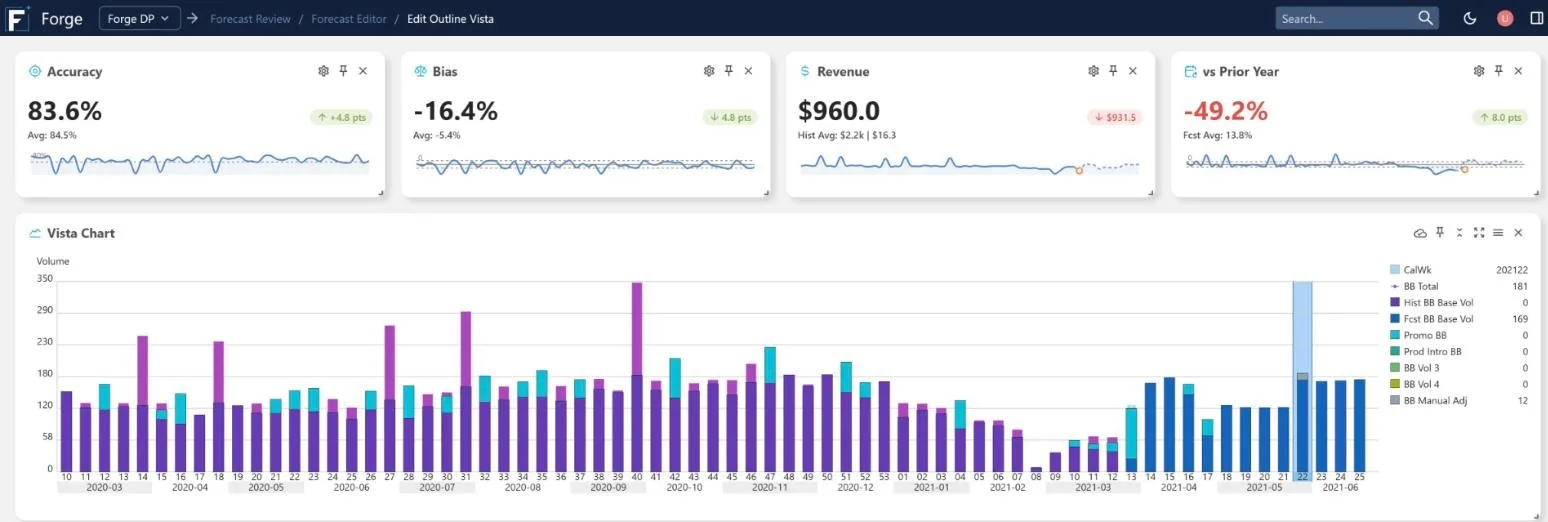
Forecast Editor in Dark Mode
The forecast editors now open with cards for Accuracy, Bias, Revenue and vs Prior Year, so planners can see the effect of their work without leaving the editor.
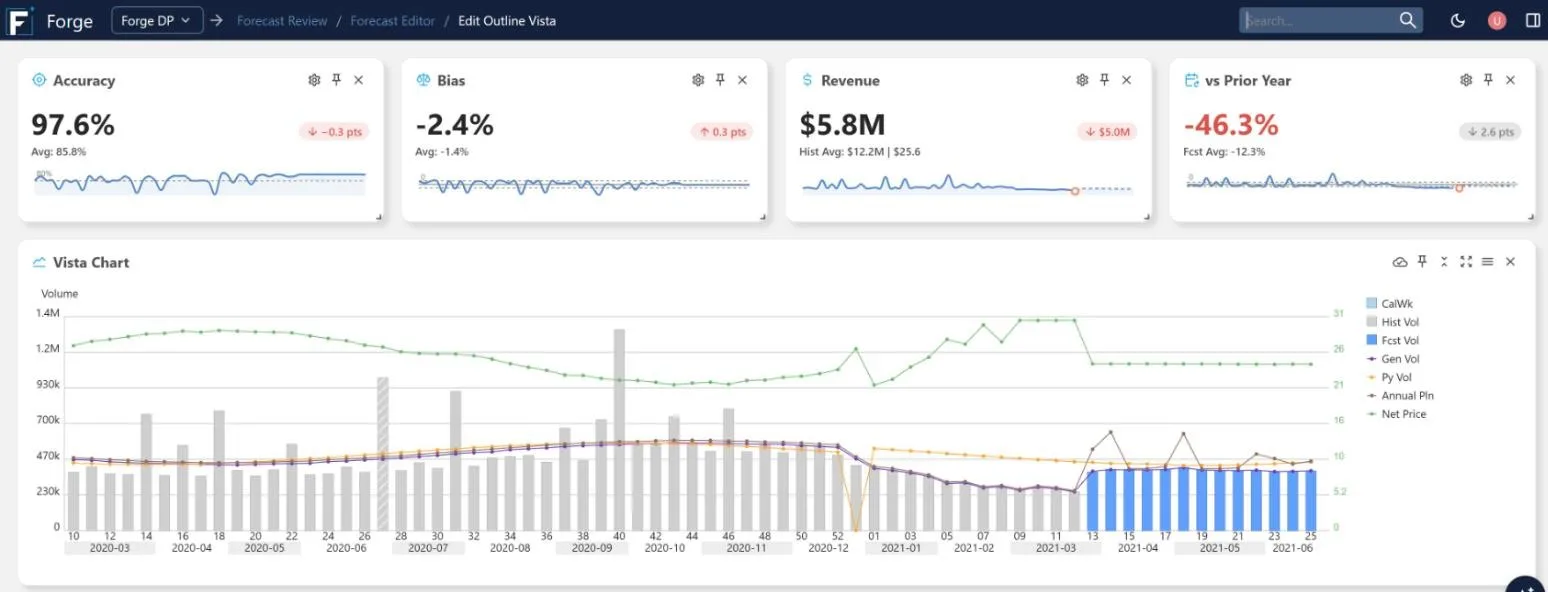
Metrics right where planners work
Meet the Forge AI Agent
Planners spend hours hunting for the few items that need attention. Forge's AI agent does that search for them. On a schedule you set, it checks the plan against a library of signals, each a focused check an experienced planner would make. For every item it flags, the agent names the likely cause, recommends a resolution with a risk level and shows exactly what would change.
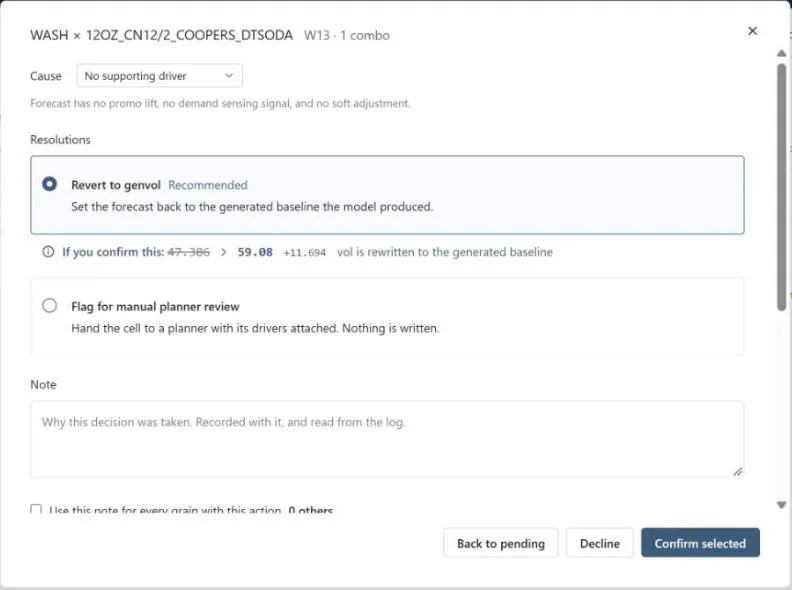
Review the agent's reasoning, then confirm or decline
Planners can confirm, decline, choose a different resolution or assign the item to a colleague, and every decision is logged. The first forecast signal is available now. More are on the way, covering forecast accuracy and bias, history quality, demand signals, inventory coverage and new items.
Ask Forge
Forge's built-in AI Assistant answers planners' how-to questions in plain language, from what a field means to which screen to use. It answers from Forge's own documentation rather than general internet knowledge, shows where each answer came from, and replies in the user's language. It's a faster way for new planners to get up to speed, and for everyone to find answers without leaving Forge.
Coming Next to Forge SP
We're bringing the same approach to supply planning. When a production run slips or a purchase arrives late, Forge SP will flag the resulting product or material shortage as the live operational data comes in. It will explain the cause and the impact, and build alternative plans with its own scheduling engine. Planners can then compare those plans and approve one. Exception management for Forge SP is in development, and we'll share more in an upcoming newsletter.
Promotions in Forge
Forge brings a new promotions workflow. The Promo Pane shows every promotion on a day-by-day calendar, grouped the way you plan (by product, account, location or brand), with its price and mechanics at a glance. Mechanics are color-coded by kind (price, ads and in-store display), and each bar shows whether the promotion is approved or still a draft.
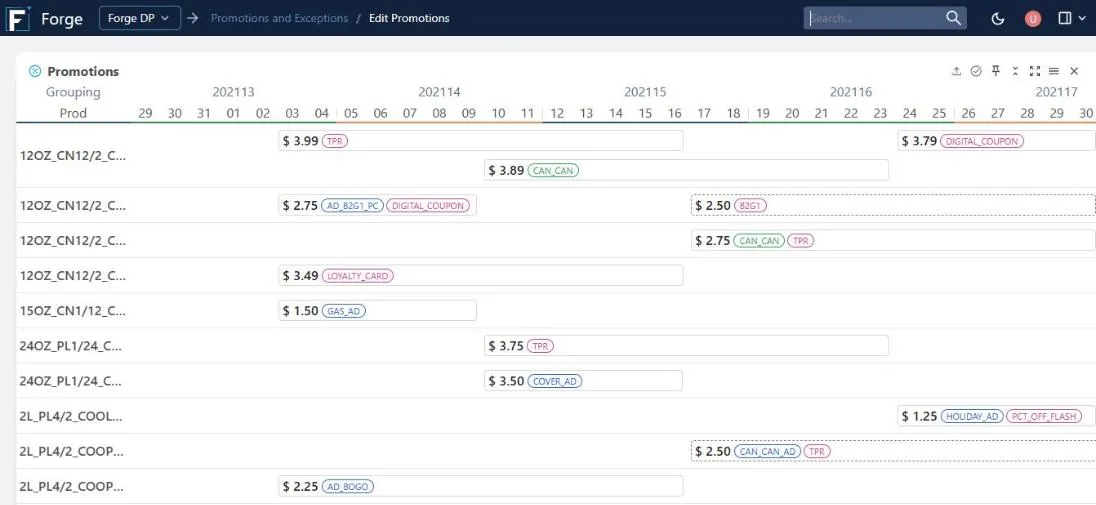
The Promo Pane in Edit Promotions
Promotion plans no longer need to be retyped. Upload them in the format you already use, including spreadsheets, promotion calendars and PDFs. Forge reads them with AI and highlights any value it isn't sure about for review.
Once a promotion is approved, Forge models its lift and adds it to the forecast as its own building block. Switch the forecast chart to Building Blocks to see exactly how much volume each promotion adds on top of base demand, week by week.
Promotion lift shown as a building block in the forecast
Learn more about Promotions Management →