Newsletter: July 2025
Areté has further enhanced application security by introducing SSO application login capability in our latest release. The new Microsoft Azure Single Sign-On (SSO) option provides a tighter layer of authorization security that increases protection against potential security threats. With this addition to Areté's array of security features, Planners only need to login once using Azure SSO and they will be able to switch seamlessly between Avail11/Prevail11 and any other Microsoft applications.
Also in this release, we have improved Prevail11's dynamic scenario management through three new enhancements to Panoramic Vistas. New functionality includes the ability to name and track different scenarios, as well as What-if Regeneration of Forecasts that enables quick adjustments and recalculations while working in the Vista. We have also added pricing, revenue, exception and free regressor data into the Vista editor so that the Planner can manage these variables here. Prevail11 Panoramic Vistas are more versatile than ever and further support your superior forecasting process.
Convenient Single Sign-On option with Microsoft Azure
Planners with an active Azure subscription can now set up an Azure Entra ID by registering Avail11/Prevail11 applications in the Azure Portal. Login authentication can then be configured in the Entra admin center along with the redirection of URIs. Areté Implementers will work with Planners to ensure the correct set up of the authentication method is implemented.
Microsoft's Azure Single Sign-On is highly convenient as it eliminates the need to sign in with multiple credentials. Planners can now switch between different applications without compromising security. For new users who are logging in to our application for the first time, a new userID will be added automatically with limited rights until a System Admin or Areté support team member enables full user access through the User Administration function. An Azure account and the correct permissions are the only prerequisites to enable Azure SSO authentication in Areté applications.
Example of a Named Scenario Workset
Three Panoramic Vista Scenario Updates!
Prevail11's Panoramic Vista has undergone major construction in this release and has been changed to enable more detailed scenario management and optimal usability.
Named Scenarios: Planners can now name each scenario workset when checking out a workset, allowing for clearer scenario workset management. Name each workset to conveniently organize named scenarios that model different planning risks and opportunities.
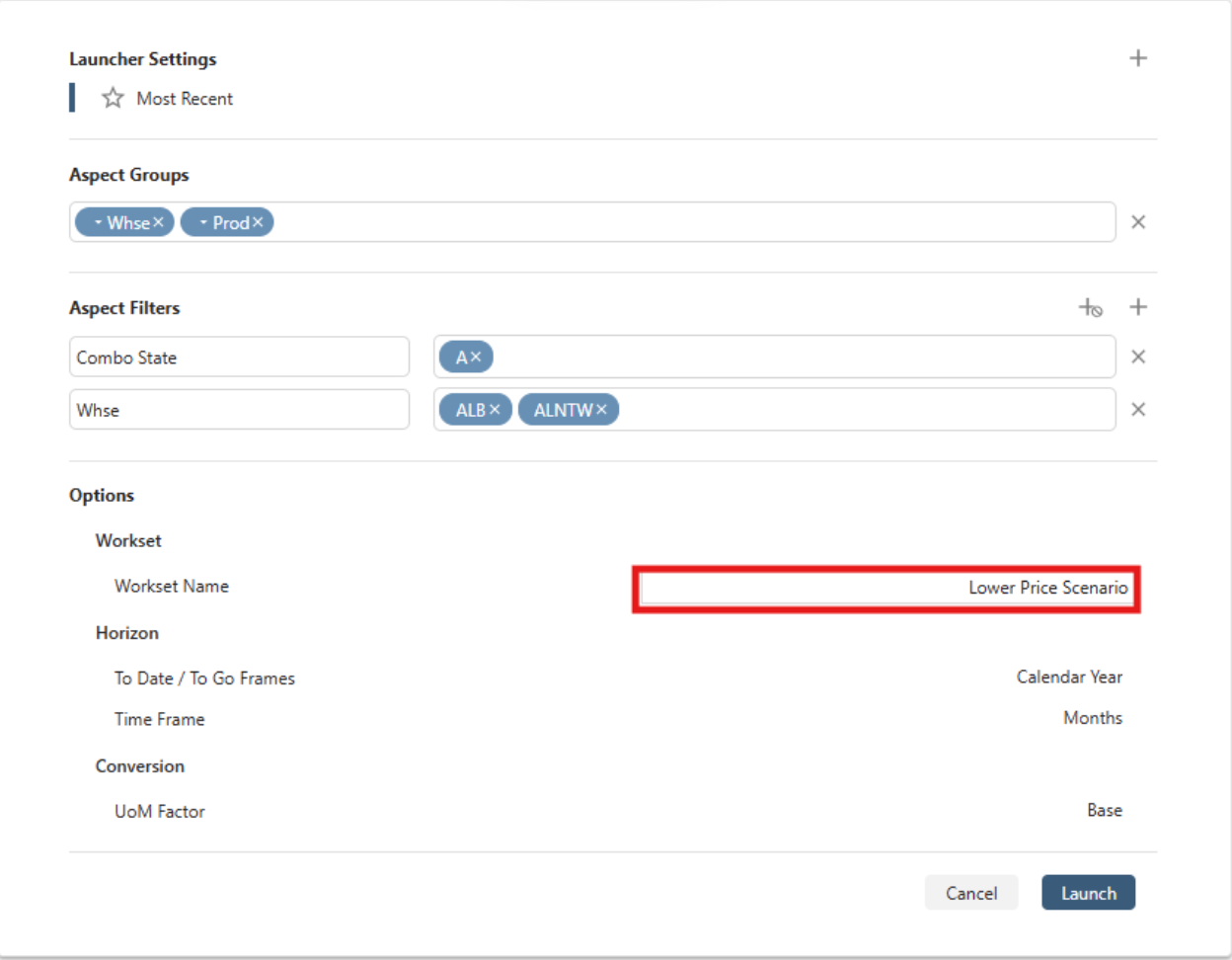
Example of a Named Scenario Workset
What-if Regeneration of Forecasts: Planners can now update causal data such as pricing or exceptions and then click on the new Regenerate Forecasts button in the Vista; this will regenerate all data for the selected Tier and any child Tiers. This new function also allows Planners to regenerate a smaller subset of time buckets in a single generation versus incrementally regenerating all time buckets multiple times to capture the path of change.

Contact us to learn more about all updates and enhancements in the latest version.
Check out our New Blog Posts to explore Supply Chain Strategies!

What is S&OP and how has it evolved?
Sales and Operations Planning is a powerful strategic tool that can transform your business operations. We present a deep-dive into the components of S&OP along with common challenges and best practices.

Rainbow Packs in Manufacturing
A concise introduction to rainbow packs and their advantages. We also take a look at Four common methods for producing Rainbow Packs and some key challenges and solutions.
Missed our other Blog Posts? Click here to explore additional Supply Chain Excellence Strategies →
About the Author

Shruti Natal
Business Development and Supply Chain Optimization Analyst
Shruti is a part of the implementation team (Prevail and Avail). She collaborates with clients to ensure a smooth working experience with Areté Inc.